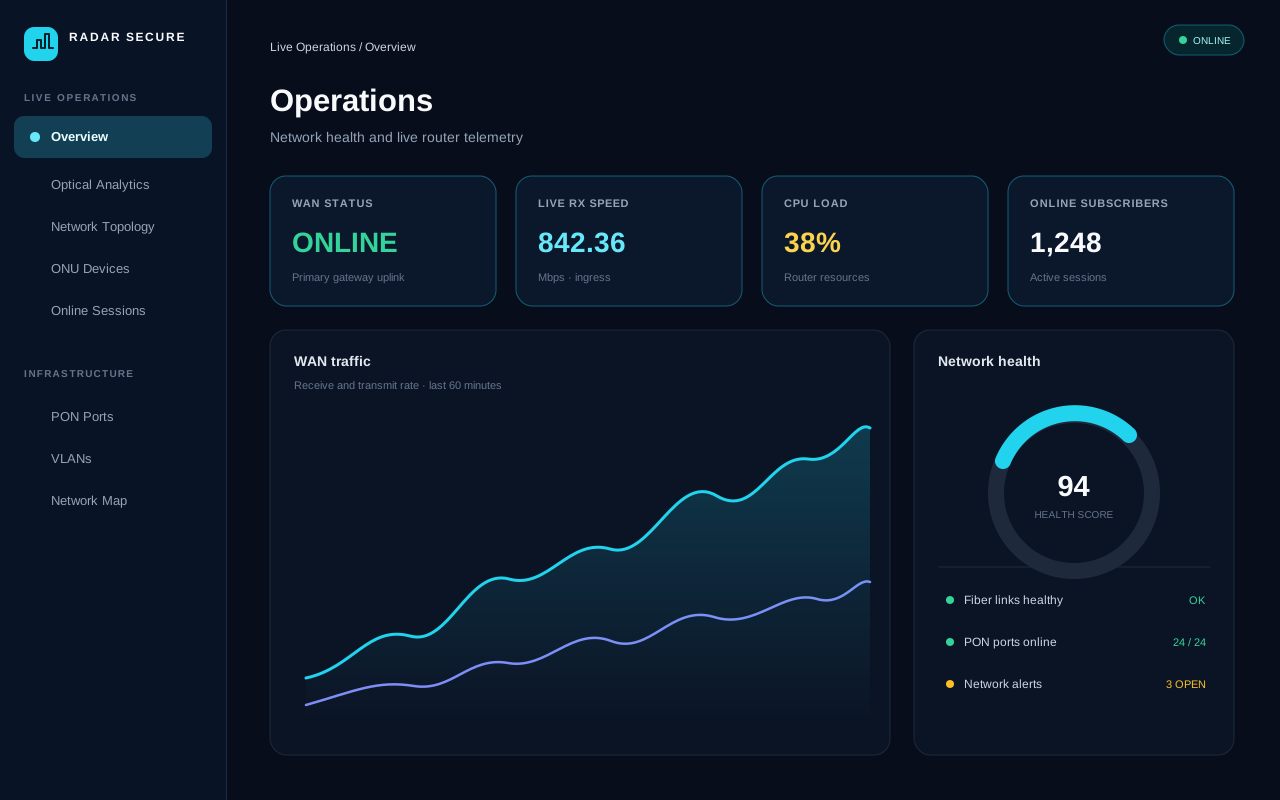
Step 1
Open the operations overview
Choose Live Operations → Overview (/dashboard2?sku=olt) to access the 4-tier borderless NOC command center, featuring live optical health, interactive PON blade matrices, real-time traffic spline waves, and active incident tracking with 15s non-blocking auto-refresh.
Step 2
Interactive ONU fleet triage
Click directly on the Normal, Dying Gasp, or LOS Cut status chips in the Overview hero bar to jump into filtered views in ONU Devices (/onu-devices), Network Alerts (/olt-alerts), or Optical Analytics (/fiber-health).
Step 3
Investigate fiber health
Open Optical Analytics or PON Ports to review optical link and port status. Use Network Topology to follow connected interfaces.
Step 4
Understand high attenuation
High optical attenuation means more signal is lost along the fiber path, leaving weaker received power. Possible causes include dirty connectors, tight bends, damaged drop fiber, poor splices, or splitter-path loss. Compare readings with the installed optics and PON link budget; thresholds vary by equipment.
Step 5
Review subscriber activity
Open ONU Devices, Online Sessions, or Subscribers to investigate customer equipment and active access sessions.
Step 6
Check alerts and incident notifications
Use Network Alerts and System Logs to review operational events. High-priority gateway outages and optical faults automatically trigger trouble tickets and broadcast emergency notices to configured operations channels.
Step 7
TR-069 ACS & CPE management
Open TR-069 ACS (/acs) to manage customer premises equipment (ONTs, Wi-Fi gateways) using TR-098/TR-181 data models. Inspect Wi-Fi SSID and radio parameters, execute zero-truck-roll remote reboots, and verify subscriber hardware binding.
Step 8
Aadhaar & e-KYC statutory verification
Open Subscribers (/subscribers) and navigate to Tab 6 (E-Kyc Details) in any subscriber profile to complete statutory identity verification. Field technicians can use a smartphone camera to scan the high-density QR code on the customer's Aadhaar card for instant ₹0 offline verification with 2048-bit RSA signature validation. Alternatively, use Online UIDAI OTP with the customer's 12-digit Aadhaar or privacy-preserving 16-digit Virtual ID (VID). All numbers are protected with zero-plaintext masking under the DPDP Act.
Step 9
ONU Devices vs. TR-069 ACS demarcation
Understand the distinct operational boundaries between ONU Devices (/onu-devices) and TR-069 ACS (/acs). ONU Devices monitors Layer 1/2 physical optical health from the OLT perspective (Rx/Tx dBm, optical attenuation, fiber cuts/LOS, FAT box splitters, and OMCI link resets). In contrast, TR-069 ACS manages Layer 3-7 customer router settings directly from the CPE gateway operating system (2.4G/5G Wi-Fi SSIDs and passwords, WAN PPPoE credentials, LAN DHCP pools, connected wireless clients, and remote firmware upgrades).
Step 10
Review software releases & changelog
Open Help & Documentation (/olt-help) to review the Production Release Notes and Version Ladder (v1.0.0 through v1.5.1), covering new capabilities, schema migrations, and reversible rollback procedures.